

Accounting and reporting software for managers and accountants
Custom accounting and reporting software is a web-based system that pulls together data from Excel files and accounting software exports and produces the reports your managers and accountant need in one click: sales, debts, working hours or project profitability. Saitai.lt builds this kind of software around the way you calculate things. Prices start at €1,200, with a timeline of 3–6 weeks.
In short
- Price
- from €1,200 (data import, reports, export to PDF and Excel); no VAT is added
- Timeline
- 3–6 weeks
- Data sources
- Excel, CSV, accounting software exports, manual entry; APIs where needed
- Included
- import with data checks, one-click reports, roles and permissions, training, the system's source code
- Technology
- Laravel (PHP), MySQL; runs in the browser on computers and phones
- Warranty
- 12 months
- Payment
- 50% deposit, balance when the system goes live
- Where we work
- remotely, all over Lithuania; meetings in Vilnius by appointment, arranged by phone
Who it’s for
- Every month, your accountant exports data from the accounting software to Excel and puts together summaries for management by hand.
- Management wants to see sales, debts and costs by customer, project or department, and the accounting software's reports can't do that.
- Working hours, sites or project costs are recorded in separate spreadsheets, so you only find out whether a project was profitable once it's over.
- You issue invoices from a Word or Excel template and keep track of numbering and payments by hand.
- You have to reconcile data from several sources: accounting software, your online store, bank statements or timesheets.
When it’s not the right fit
- You need bookkeeping itself: the general ledger, VAT returns, i.SAF, i.SAF-T (Lithuanian tax authority reporting files) or payroll. That's what accounting software is for – our software uses its data for reporting.
- Your accounting software's standard reports are enough. Then it's worth talking to the software vendor first – the report you need may already exist, or you may be able to build it in the software itself.
- There isn't much data, and half an hour a month is enough to prepare the summary. Then a well-organised Excel template will do.
- You want interactive charts and the ability to keep building new reports yourself. Then a business intelligence tool such as Power BI or Looker Studio may suit you better.
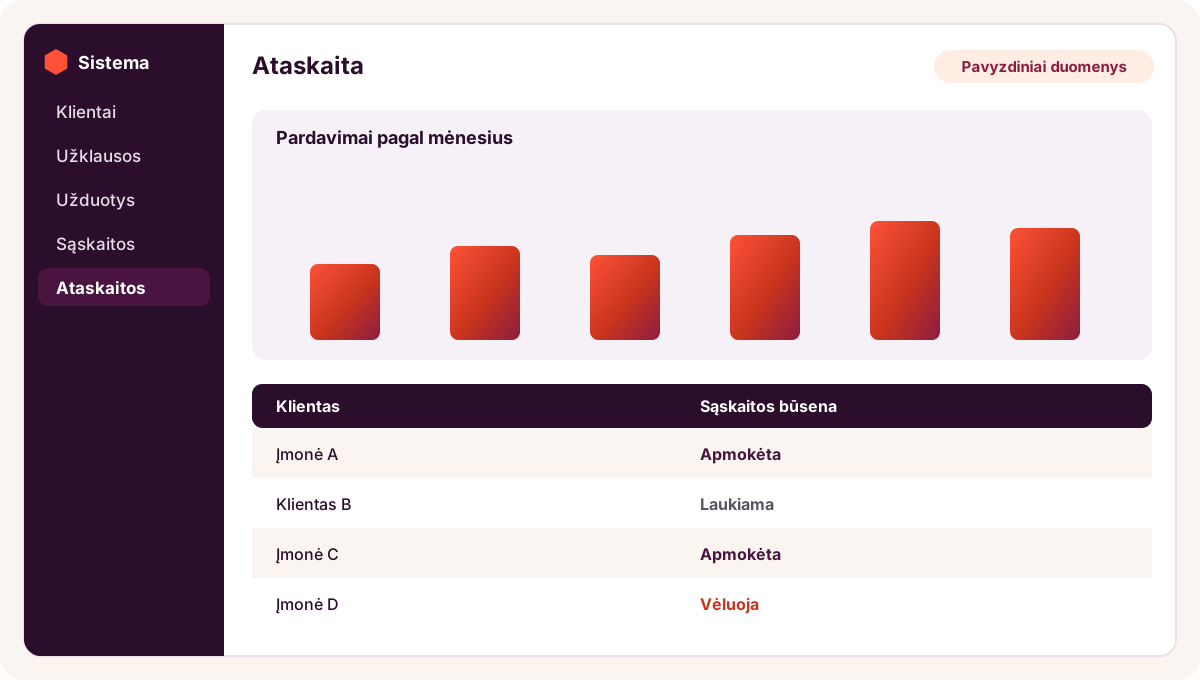

Illustration – sample data: a one-click report showing sales and invoice payment statuses.
Included
What you get
Data import with checks
You upload an accounting software export, Excel or CSV file – the software recognises the columns, checks totals and dates, and flags duplicates and errors before saving the data.
Reports in one click
Sales, debts by customer and days overdue, costs by category, project profitability: choose a period, and the report is ready straight away.
Your calculation rules
Formulas for margins, commissions, bonuses or splitting costs between projects are defined once, so everyone gets the same result.
Invoicing and payment tracking
If needed: PDF invoices using your template and numbering, marking payments and reminders about late payments.
Time and project tracking
If needed: employees log their hours against a project or site on their phone, and the manager sees the timesheet and project costs.
Export to PDF, Excel and your accounting software
Reports can be downloaded as PDF or Excel, and invoice or working-time data exported in the format your accounting software accepts.
Roles for managers, accountants and employees
Everyone sees only the data meant for them: employees their own hours, the accountant invoices and payments, the manager all reports.
Training, source code and a 12-month warranty
We show you how to upload data and run reports, and hand over a guide and the system's source code. For 12 months, we fix bugs free of charge.
Price
How much does accounting and reporting software cost?
Price from
€1,200
Custom accounting and reporting software costs from €1,200: that's the price of a system that imports data from Excel or accounting software exports and produces one-click reports with export to PDF and Excel. Invoicing and time-tracking modules or integrations are priced in our quote.
Prices include all taxes – no VAT is added (we are not VAT-registered). The final price depends on the project: we put it and the timeline in the contract before work starts.
What the price depends on
- How many data sources need combining, and whether their file format stays the same.
- How many reports you need and how complex their calculation rules are.
- Whether you need invoicing, time-tracking or project-tracking modules.
- Whether data is uploaded as files or received automatically from the accounting software's API.
- Whether previous years' data needs migrating so periods can be compared.
Additional costs
- A system like this needs its own hosting, so it doesn't run in a shared website hosting environment but on a virtual private server (VPS) in the EU. The VPS (hosting and maintenance: SSL certificate, updates, daily backups) costs from €29/month; the final price depends on the server's capacity and the size of the system. If your company has its own server, we can install the system there.
- A fee for the accounting software's API or export module, if the software vendor charges one – paid directly to the vendor.
- New reports and modules after launch – under a separate quote, with the price and timeline confirmed in writing.
Timeline
How long does it take to build accounting software?
Accounting and reporting software takes 3–6 weeks from receiving the deposit and sample data. Reports from a single source take 3–4 weeks, from several sources 4–5 weeks, and a system with invoicing, time tracking or an API integration 5–6 weeks.
| Scope | Example | Timeline |
|---|---|---|
| Reports from a single source | accounting software export → sales and debt reports for management | 3–4 weeks |
| Several sources and rules | accounting software, online store and timesheets; project profitability, commissions | 4–5 weeks |
| With extra modules | invoicing, payment reminders, time tracking, API integration | 5–6 weeks |
Process
How it works
- Free consultation1–2 working days
Show us the reports you currently prepare by hand and the files you build them from. Samples without personal data are enough.
- Report specification and fixed price2–4 working days
Together with your accountant, we define each report's columns, calculation rules and sources. The price and timeline go into the contract, and we start once we receive the 50% deposit.
- Database and import3–5 working days
We design the database and the import: how to recognise columns, and what to do with duplicates and incorrect rows.
- Reports and modules1–3 weeks
We build the reports, roles and the modules you have chosen. You try out an interim version in a test environment with your own data.
- Checking the figures2–5 working days
We compare the software's reports with the ones you prepared by hand for the same period, until the totals match to the cent.
- Training and launch1 working day
We show you how to upload new data and run reports, and hand over a guide and the system's source code.
- Warranty and further development12 months
For 12 months, we fix bugs free of charge. New reports or automatic data retrieval from your accounting software can be added later.
Comparison
An Excel summary, a BI tool or custom software?
| Criterion | Excel summary | BI tool (Power BI, Looker Studio) | Custom software (Saitai.lt) |
|---|---|---|---|
| Upfront cost | €0 extra | the tool is free or charged per user; plus time to set it up | from €1,200 |
| Who prepares the data | the accountant, by hand every month | data sources and connections need setting up | import with checks; rules defined once |
| Calculation rules | formulas in the file, easy to break by accident | defined in the tool, which takes know-how | built in to match your procedures |
| Access permissions | at file level | depending on the tool's licences and settings | by role: manager, accountant, employee |
| Best for | small amounts of data and one person preparing the report | interactive analytics, with someone to maintain them | the same reports produced regularly, plus data entry and access permissions |
Examples
Typical scenarios
Site profitability for a construction company
- Situation
- For example, a construction company sees its site costs in the accounting software, while workers' hours are kept in foremen's timesheets. Whether a site is profitable only becomes clear once it's finished.
- Solution
- Software into which the cost export from the accounting software is uploaded weekly, while foremen log hours against each site on their phones. Management sees the revenue, materials and labour costs for every site.
- Result
- Site profitability while work is still under way, and a single timesheet for the accounts team.
Debt control for a service company
- Situation
- For example, a service company issues several hundred invoices a month. The accountant checks late payments in an Excel file and emails lists to the account managers.
- Solution
- The software imports invoices and payments from the accounting software export, builds a debt report by customer and days overdue, and each account manager sees their own customers' debts.
- Result
- An up-to-date list of debts without manual reconciliation, and clear responsibility for every late payment.
Weekly summary for a retail company
- Situation
- For example, a company sells through several shops and online. Sales go into the accounting software, but every Monday an analyst builds the summary by shop, product group and week by hand.
- Solution
- The software combines exports from the accounting software and the online store, applies the product group rules and produces a weekly summary compared with the same period last year.
- Result
- The summary ready on Monday morning with no manual work, and the same figures for every manager.
Send us a sample report – we'll assess it for free
Show us a report you currently prepare by hand and tell us which files you build it from. Within 1 working day, we'll tell you how to automate it, how much it would cost and how long it would take.
FAQ
Frequently asked questions
No. Bookkeeping, VAT returns, i.SAF and payroll stay in your accounting software. Our software uses the data it exports and adds what the accounting software doesn't have: management reports, project or time tracking, and your own calculation rules.
More
Related services
Custom CRM development built around your processes
When you need to manage customers, enquiries and tasks as well as reports.
Moving Excel spreadsheets to a CRM or database
Your working spreadsheets become an online system with permissions – from €990.
Accounting software integration with your online store
Orders and invoices reach your accounting software automatically – from €490.
Business process automation
Invoices, reminders and reports between systems – without manual copying.
Enquiry
Get an accounting software quote within 1 working day
Tell us which reports you currently prepare by hand and which accounting software you use. You can email us sample reports without personal data. Tel. +370 670 99265.
Phone / WhatsApp / Viber:
+370 670 99265
Email:
info@saitai.lt
We reply within 1 working day. Meetings in Vilnius are by appointment only – please call first.

